 Maskwise
For Mac · Works offline · No accounts
Give the AI the contract
for John Carter[PERSON_1]
Maskwise hides names, ID numbers, bank accounts and addresses in PDF, Word, Excel and PowerPoint files before they reach ChatGPT or Claude. It runs on your Mac and checks every copy.
macOS 14 or later · Apple silicon or Intel · 7 days free
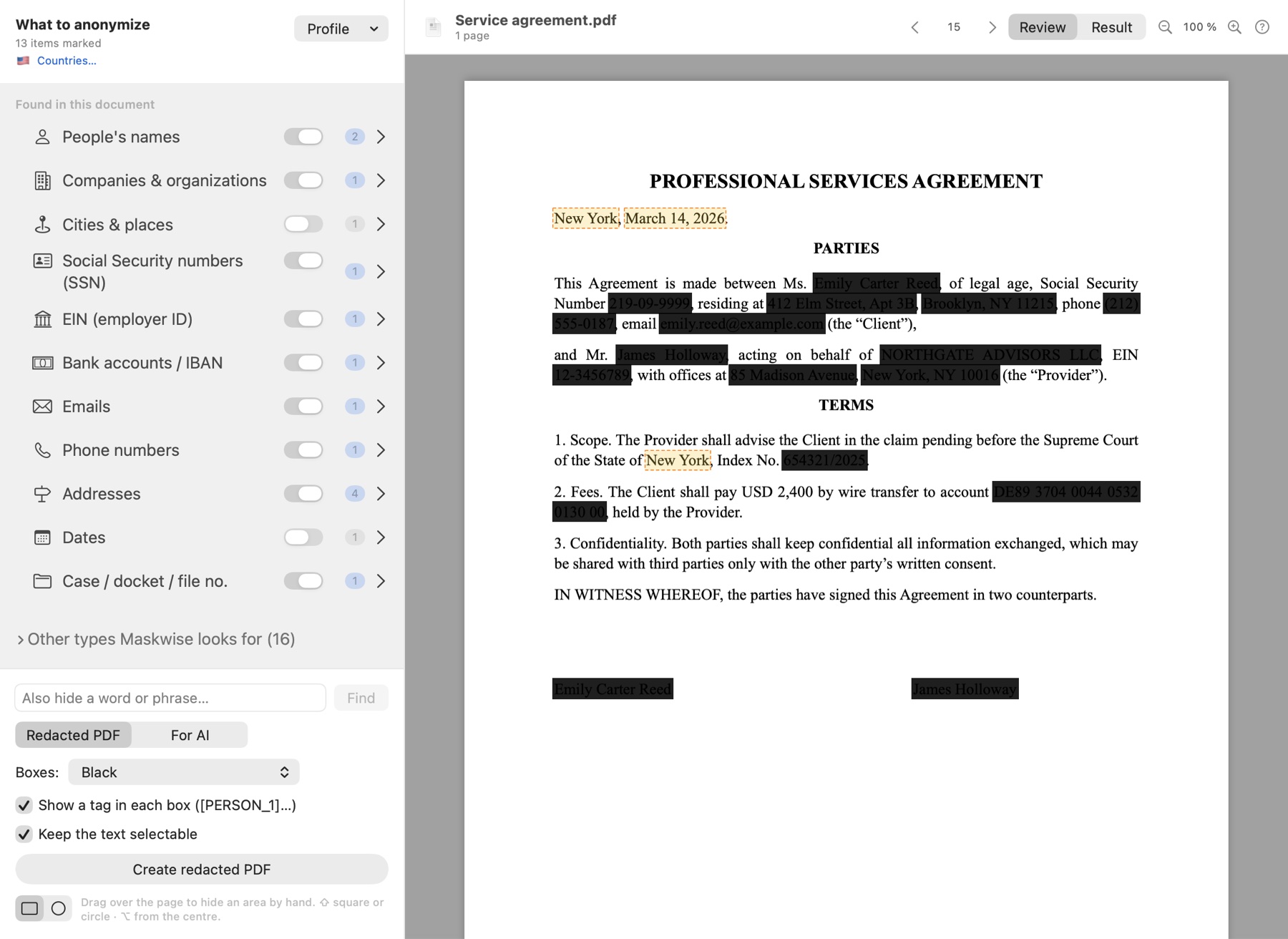
Review: Maskwise marks what it found. You decide what gets hidden.
![Maskwise For AI view: the contract text with tags like [PERSON_1]](/assets/img/app-en-review-result-ai.jpg)
The most common mistake
A black box redacts nothing.
Cover a value with a black shape in a PDF and the text is still underneath. Anyone can select it and copy it. See for yourself.
Redaction
What you hide is gone.
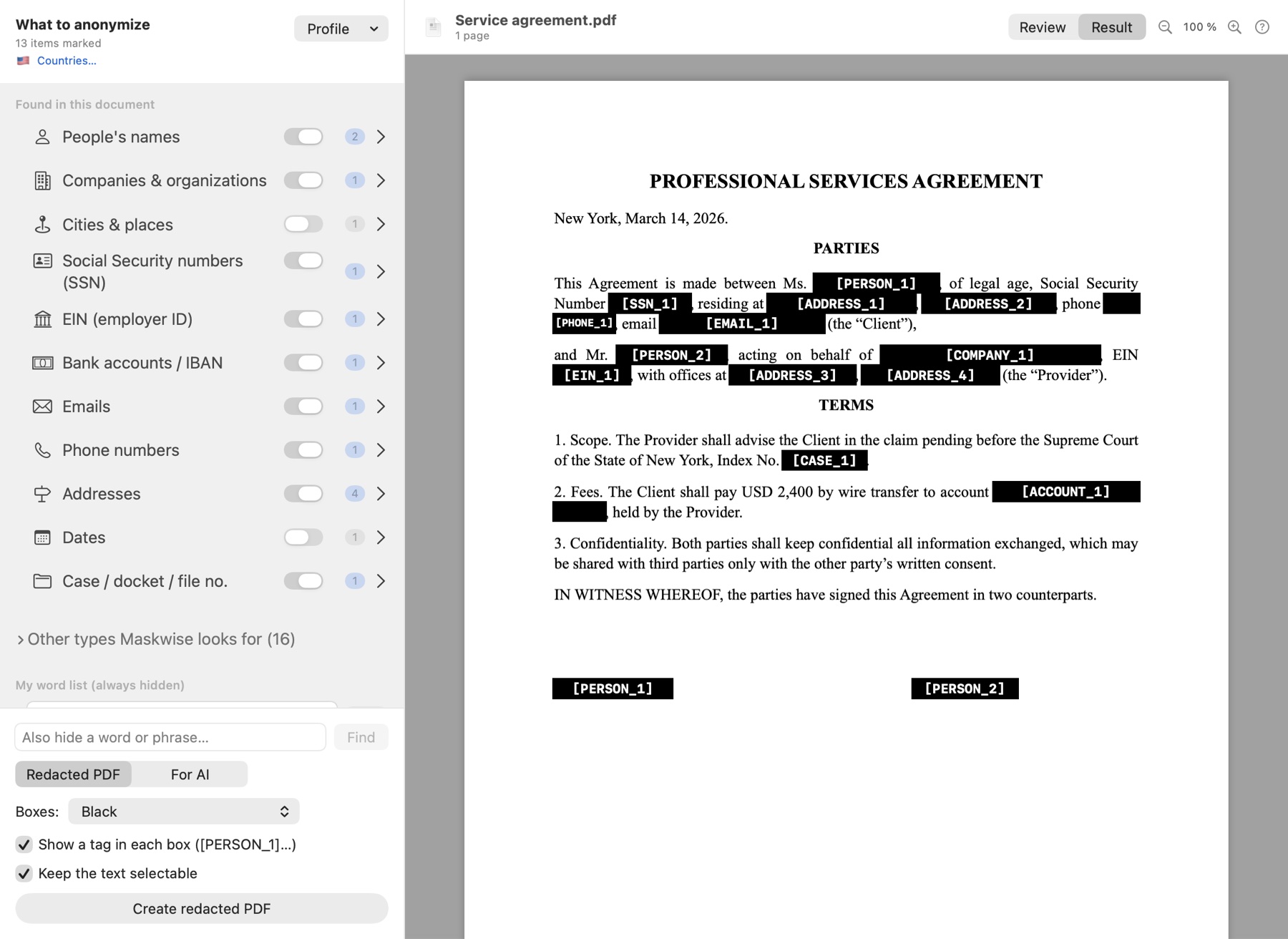
Maskwise finds the data, shows it to you so you decide, and saves a PDF where it no longer exists: not under the box, not in the metadata.
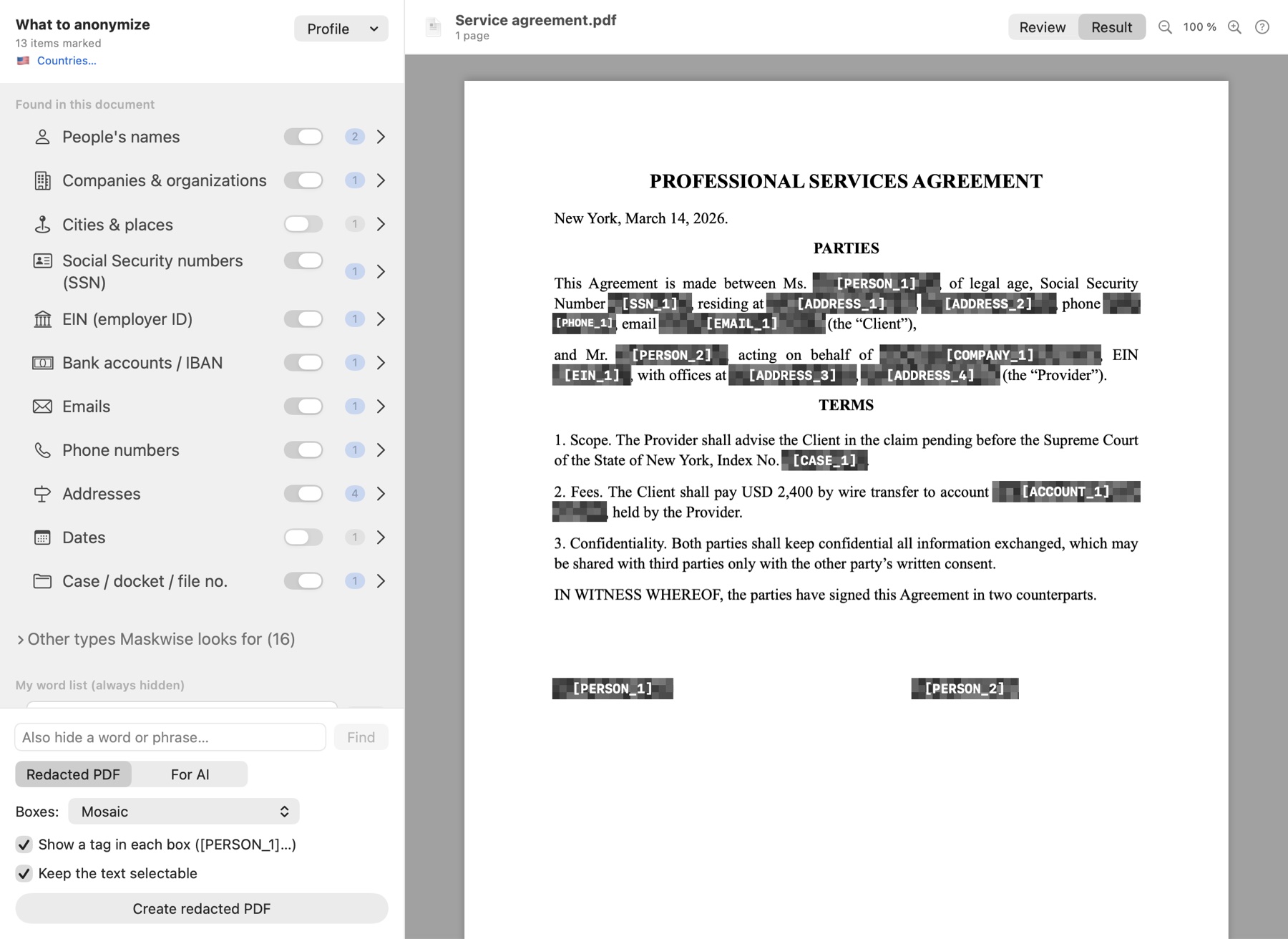
- Black, white, grey or mosaic, with optional tags on each redaction.
- Scanned signatures and stamps, always hidden whole.
- Boxes drawn by hand, rectangles or ellipses, for anything else.
PROFESSIONAL SERVICES AGREEMENT
New York, March 14, 2026.
Between John Carter[PERSON_1], SSN 219-09-9999[SSN_1], residing at 412 Elm Street, Brooklyn, NY 11215[ADDRESS_1], phone (212) 555-0187[PHONE_1],
and Emily Shaw[PERSON_2], on behalf of NORTHGATE ADVISORS LLC[COMPANY_1].
2. Fees. John Carter[PERSON_1] shall pay $2,400 to account DE89 3704 0044 0532 0130 00[ACCOUNT_1].
For AI
The AI sees tags. You get names back.
Each person, company or account gets a consistent tag across the document. When the AI answers, Maskwise puts the real data back into its reply.
- Consistent: “John Carter” and “Mr. Carter” are the same [PERSON_1].
- Reversible only on your Mac: the tag table is encrypted with a key in your Keychain.
- Shortcuts: ⌃⌥A anonymizes copied text; ⌃⌥R restores it.
Formats
Word, Excel and PowerPoint, formatting intact.
The AI copy keeps styles, tables and formulas. And Maskwise also checks what you don't see at first glance.
- Comments, notes, headers and footers, tracked changes and document author.
- Sheets, charts and pivot tables in Excel, without breaking formulas.
- Images showing data or faces inside Office, replaced with a placeholder.
Verification
Every copy is checked. And it tells you when it can't.
After saving, Maskwise reads the result again, with OCR when needed, to check that what you marked no longer appears. If something can't be read, such as an embedded object, you'll see it flagged.
Try it now
Type some data. See what the AI would get.
A very small version of the Maskwise detector, running in your browser. Change the text or paste your own: it never leaves this page.
Also
The details that matter.
Offline
The app has no network permission. No accounts, no servers, no analytics.
You decide
Step through the data one by one, unmark what you want to keep and add your own words.
Undo
⌘Z and ⌘⇧Z for everything: marks, boxes, shape changes.
Scanned documents
Text recognition on your Mac. Flags handwritten or unreadable lines.
Five languages
English, Spanish, French, Italian and German, in the interface and the tags.
Mac App Store
Protected by Apple's sandbox. Purchases and refunds handled by Apple.
Who it's for
For anyone who works with other people's data.
Confidentiality and privacy law, together.
Summarize a complaint, compare contract drafts or outline a brief without the AI knowing who the parties are.
Payroll, tax forms and statements.
Tax IDs, bank accounts and addresses that shouldn't leave the office, in spreadsheets with formulas too.
CVs, files and reviews.
Ask the AI to compare candidates or draft a review without handing over who is who.
Reports with health data.
Health data is a special category. Remove the patient's identity before using AI to summarize or translate.
No small print
What we promise. And what we don't.
No automatic tool finds 100% of the data in every document. Maskwise shows you what it found, checks what it saves and warns you when it can't check.
- ✓Your documents never leave your Mac.The app has no network permission.
- ✓What you redact is removed.Nothing is left underneath: the saved page no longer contains it.
- ✓Every copy is checked.If something can't be read, you'll see NOT VERIFIED.
- ✕We don't promise “zero leaks”.Always review the result before sharing it.
Price
Pay once. Keep it.
No subscription. Try the full app for 7 days before you decide.
Maskwise Professional
One-time purchase. Lifetime licence. £59 in the UK, 59 € in the eurozone.
Coming soon to the Mac App StoremacOS 14 or later · Apple silicon or Intel
Purchases and refunds handled by Apple
- Every feature, no document limits.
- Redacted PDFs and AI copies in Word, Excel and PowerPoint.
- Restore the AI's answers with the real data.
- Scanned documents, signatures and stamps.
- Interface in five languages.
- 7-day free trial with everything included.
Why it exists
“I wanted to use AI at my firm without putting my clients at risk. I couldn't find a tool that worked offline, respected my documents' formatting and checked the result. So I built one.”
Questions
Frequently asked.
Do my documents leave my Mac?
No. Maskwise works entirely on your Mac and has no internet access. There are no accounts, servers or analytics.
Which formats does it support?
PDF (including scans), images, Word (.docx and .doc), Excel (.xlsx), PowerPoint (.pptx), RTF, ODT, TXT, CSV and HTML.
Does it work with Claude, Gemini or Copilot?
Yes. The AI copy is an ordinary document or text, so it works with any assistant.
How much does it cost?
The 7-day trial is free. After that, a single purchase unlocks Maskwise Professional for good, with no subscription. The price in your country is shown in the App Store.
Does it guarantee that no data slips through?
No automatic tool can guarantee that. Maskwise reads every copy again to check that what you marked no longer appears and, if it cannot check something, it says so with a NOT VERIFIED notice. Always review the document before sharing it.
Is there a Windows or team version?
Mac only for now. If you need it for several seats, get in touch.
AI, yes.
Your clients' data, no.
Try it free for 7 days on your Mac.